Overview
Understand Microsoft Sentinel Architecture, Build and Configure a Complete Sentinel Lab, Onboard and Monitor Data Sources, Create and Manage Analytics Rules, Respond to Incidents Using Automation, Use Kusto Query Language (KQL) for Investigation, Understand Real-World Security Use Cases, Automation and Playbook
Aspiring Security Analysts who want to gain hands-on experience with Microsoft Sentinel and understand how modern SOCs operate., IT Professionals or System Administrators looking to transition into cybersecurity or expand their skills in SIEM, log analysis, and incident response., Cybersecurity Students or Beginners eager to build practical, job-ready skills using Microsoft Sentinel in a real-world environment., SOC Analysts and Engineers who want to strengthen their understanding of Sentinel’s full workflow — from data collection to automated response., Cloud Security Enthusiasts who want to explore Microsoft’s native security monitoring and automation capabilities.
Basic understanding of IT or cybersecurity concepts (helpful but not mandatory)., Familiarity with Microsoft Azure or cloud environments is an advantage, though the course will guide you step-by-step., Access to a computer with a stable internet connection — you’ll be setting up virtual machines and connecting to the Azure portal., An active Microsoft account (you can create one for free) to activate the Azure free trial with $200 credits for 30 days., Interest in hands-on learning! This course is designed to help you build and practice in your own Microsoft Sentinel environment — no prior Sentinel experience required.
This comprehensive, hands-on course on Microsoft Sentinel: End-to-End SOC Implementation is designed to take learners from the very basics of setting up a Security Operations Center (SOC) environment to implementing advanced detection and automated response workflows. You will start by building a fully functional Sentinel environment in Microsoft Azure, deploying both Windows 10 and Ubuntu virtual machines as on-premises endpoints, and configuring them for log collection using Azure Monitor Agents (AMA) and Data Collection Rules (DCR).
Once the environment is ready, you will learn to ingest and analyze telemetry data using Kusto Query Language (KQL), gaining practical skills in monitoring heartbeat, syslog, and other important logs. You will then create custom Analytics Rules to detect real-world attack scenarios such as failed RDP logins, suspicious PowerShell executions, SSH brute-force attempts, and impossible location logins. The course will also cover how to validate incidents, review alerts, and understand the detection workflow in Sentinel.
Finally, the course teaches how to leverage the Automation blade and Playbooks to streamline responses, send alerts, and enrich incident data, enabling a full Detect-to-Respond cycle. By the end of this training, learners will have the confidence and practical knowledge to deploy, monitor, detect, and respond to security threats using Microsoft Sentinel, making it ideal for IT professionals, SOC analysts, and anyone seeking hands-on cloud security experience.
Yasir Mehmood
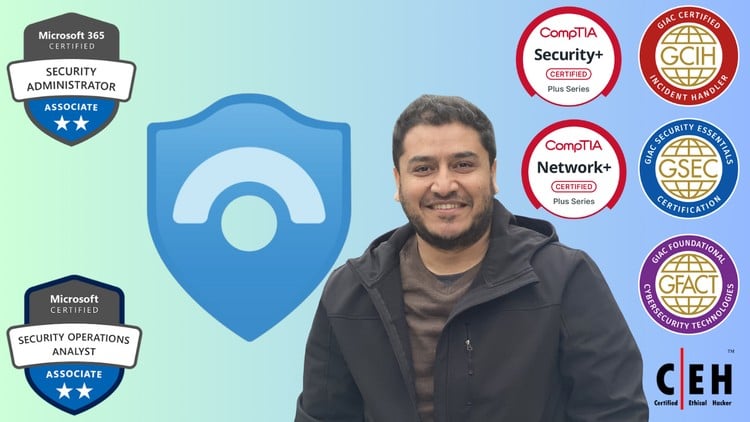
I am a cybersecurity professional with extensive hands-on experience in Security Operations, Incident Response, Threat Hunting, and Digital Forensics. He holds multiple globally recognized certifications, including GCIH, GSEC, GFACT, CEH, MS-500, SC-200, and Security+.
With a background in managing real-world SOC environments and implementing Microsoft Sentinel, I have trained and mentored cybersecurity learners to build practical skills in detection, investigation, and response. My teaching style focuses on simplifying complex security concepts and enabling students to gain confidence through hands-on labs and real-world scenarios.
Dedicated to bridging the gap between theory and practice, I bring passion, clarity, and real industry insight to every session — helping students grow into capable cybersecurity professionals ready to face modern threats.