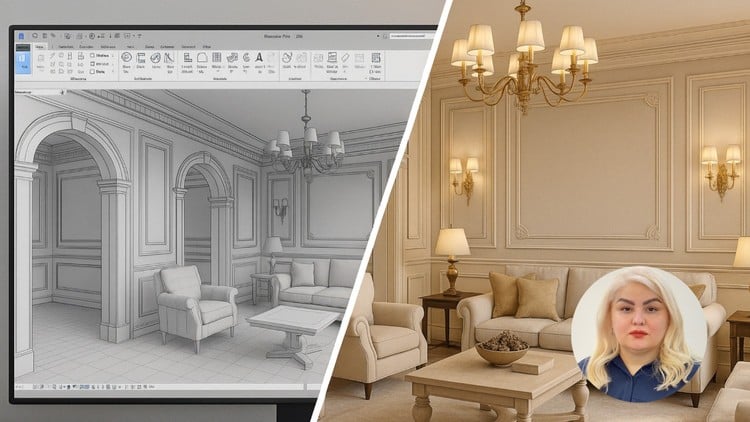
Overview
Professional Interior 3D Modeling in Revit, Decorative walls, Arches, Columns, and Interior Ornamentation, Ceilings, Decorative Elements, and Classic Details, Advanced Materials for Realistic Visual Effects, Precise Lighting Setup and Execution for Interior Spaces, Furniture Arrangement and Decorative Element Placement for Enhanced Aesthetics, Using Revit's Rendering Tools to Generate High-Quality Images, Optimization Techniques to Reduce File Size and Improve Performance
Architects, Interior Designers, 3D Modelers, BIM Modelers, Construction Managers, Project Managers, Revit Users, CG Artists
Autodesk Revit
This course is project-based, and in addition to learning the software, you will gain hands-on experience in completing real-world projects from start to finish.
Why is Revit one of the best tools for interior design, and how can we use it most effectively?
What is the difference between basic and professional interior modeling in Revit?
How can BIM be used in Revit to professionally manage an interior design project?
How can lighting, material, and rendering settings be combined to create realistic interior visuals in Revit?
In this course, you will learn how to model a classic interior space in Autodesk Revit through a hands-on, project-based approach. From 3D modeling and architectural structure creation to material application, lighting setup, and final rendering, every step will be covered in detail.
Based on a real-world project, you will gain the skills to model interiors just like the sample image—covering everything from decorative walls and ceilings to furniture layout and high-quality rendering.
Headlines:
Professional interior 3D Modeling in Revit
Creating decorative walls, arches, columns, and interior ornamentation
Modeling ceilings, decorative elements, and classic details
Advanced material application for realistic visual effects
Precise lighting setup and execution for interior spaces
Furniture arrangement and decorative element placement for enhanced aesthetics
Using Revit's rendering tools to generate high-quality images
Optimization techniques to reduce file size and improve performance
Using Enscape as a powerful software for professional rendering.
By the end of this course, you'll be able to design stunning, high-quality interior spaces in Revit with professional workflows! If you have any questions while learning, feel free to ask me to speed up your learning process.
Farimah Ghavanlou
Hi, I'm Farimah Ghavanlou, and I’m excited to be your instructor!
With over 10 years of experience in architecture, BIM, and interior design, I have worked on numerous real-world projects and have trained hundreds of students in various architectural and BIM software.
My teaching method is entirely project-based, meaning you won't just learn the software—you'll gain practical experience by working on real projects. I believe that learning should go beyond theory, so I make sure to share my industry insights and hands-on experience in every course.
24/7 support is available for all my students. If you have any questions, I’m always here to help, ensuring that your learning journey is smooth and effective.
If you're looking for a practical and experience-driven approach to mastering architectural and BIM workflows, you're in the right place! Let's learn and build amazing projects together. ?