Overview
How to set up a new project in Autodesk Revit with the correct units and levels., How to design and model a complete single-storey house step by step., How to create walls, doors, windows, floors, and roofs using Revit tools., How to add furniture, fixtures, and components to bring the project to life., How to generate and manage views: floor plans, elevations, and 3D perspectives., How to apply dimensions, annotations, and tags to drawings., How to create sheets for printing and produce professional documentation., Essential tips and shortcuts to work faster and more efficiently in Revit.
Beginners in Revit who want to learn step by step by creating a real project from start to finish., Architecture and design students who want to strengthen their Revit skills through hands-on practice., Construction, engineering, and design professionals looking to add Autodesk Revit to their toolkit., Interior designers and draftspersons who want to understand the basics of architectural modeling., Hobbyists and design enthusiasts who want to create their own single-storey house in Revit.
No prior Revit experience is required – this course is beginner-friendly., A computer with Autodesk Revit installed (student or trial version is fine)., Basic computer skills (opening files, saving projects, navigating software)., An interest in architecture, design, or construction.
Do you want to learn Autodesk Revit by working on a complete, real-world project?
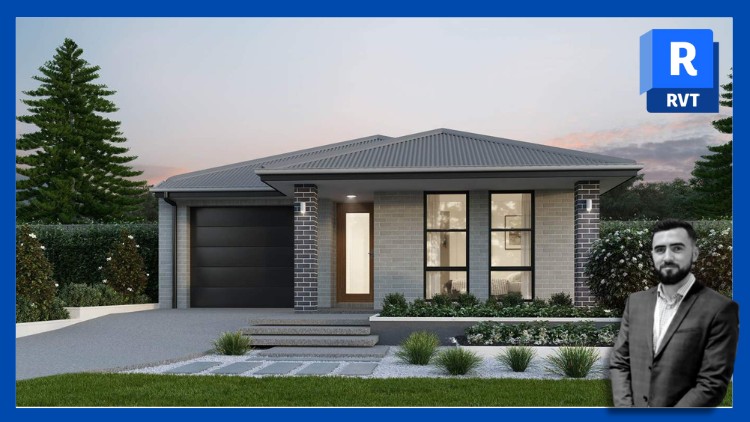
In this hands-on course, you’ll design and model a single-storey house step by step, mastering the essential tools and workflows of Revit along the way. Whether you’re an architecture student, design professional, or complete beginner, this course will guide you through the entire process — from setting up your project to producing professional drawings ready for printing.
We’ll start from the ground up, using a PDF as a base, and then build the project together:
> Project Setup – Start a new project, set up units, and use the PDF floor plan as our guide to creating the project.
> Architecture & Structure – Place external and internal walls, insert external windows and doors, add curtain walls, and create internal doors.
> Roof & Ceilings – Model a bespoke roof with ridge tiles, fascia, soffits, and gutters. Add ceilings with lighting fixtures.
> Interior Design – Furnish the house and design a full kitchen from scratch. Create bathrooms, shower rooms, and a utility space.
> Annotation & Detailing – Annotate the entire project with dimensions, room tags, door tags, window tags, and room names. Produce door and window schedules. Create a section view with detailed callouts (floor-to-wall and roof-to-wall junctions). Generate wall and floor legends, plus door and window legends.
> Landscape & Exterior – Design the site with trees, bushes, a pond, paths, and a bespoke timber fence.
> Documentation & Sheets – Organise views into sheets, prepare them for print, and export the entire drawing set to PDF.
By the end of this course, you’ll have:
A fully modeled and documented single-storey house built entirely in Autodesk Revit.
The skills to confidently start your own Revit projects from scratch.
A solid foundation for architectural modeling, annotation, and presentation in Revit.
No prior experience is required — just install Revit (student or trial version is fine), follow along step by step, and learn by doing.
Steve Clancy
Autodesk Certified Revit User
Autodesk Certified Revit Professional
Autodesk Certified AutoCAD User
Autodesk Certified AutoCAD Professional
Autodesk Certified Instructor
Steve Clancy has a Bachelor of Science in Architectural Technology and 10 years of practical experience working for an award-winning residential development company in London as well as his own company. He undertook all project-related design and management tasks requiring him to design, draw and coordinate multiple high-rise residential buildings from the beginning of every project, no matter what the scale or scope of the project was.
All design tasks were developed using AutoCAD and Revit, which Steve has been using for 15 years. He has been certified by Autodesk as a Professional under the ACP and he is also a certified trainer under the ATP. Steve has extensive experience as a trainer teaching small and large groups both in situ, in a classroom, and online digitally. He has been retained to train primarily in the UK but has had opportunities to teach in several European countries.